Cookie Privacy Preferences
We utilize essential cookies to ensure our website operates effectively and remains secure. Additionally, we'd like to request your permission to use optional cookies. These are intended to enhance your browsing experience by offering personalized content, displaying advertisements that are relevant to you, and helping us to further refine our website.
Choose "Accept all cookies" to agree to the use of both essential and optional cookies. Alternatively, select "Let me see" to customize your preferences.
Privacy Preference Centre
Our website utilizes cookies to enhance your browsing experience and to present you with content tailored to your preferences on this device and browser. Below, you will find detailed information about the function of cookies, enabling you to make informed choices about which cookies you wish to accept. Please note that disabling certain cookies might impact your user experience on our site. It's important to remember that cookie preferences need to be set individually for each device and browser you use. Clearing your browser's cache may also remove your cookie settings. You have the freedom to modify your cookie preferences at any point in the future.
For a comprehensive understanding of our use of cookies, please refer to our complete cookies policy.
These cookies are needed for the website to work and for us to fulfil our contractual obligations. This means they can't be switched off. They enable essential functionality such as security, accessibility and live chat support. They also help us to detect and prevent fraud. You can set your browser to block or alert you about these cookies, but it means some parts of the site won't work.
These cookies allow us to measure and improve the performance of our site. They help us to know how popular pages are, and to see how visitors move around the site. If you don't allow these cookies, we won't know when you've visited our site, and we won't be able to monitor its performance.
These cookies enable us to provide enhanced functionality and personalisation. They may be set by us or by third party providers whose services we've added to our pages. If you don't allow these cookies, some or all of these services may not work properly.
These cookies collect information about your browsing habits to show you personalised adverts. They may be used to build a profile of your interests and show you relevant adverts on other sites. They don't store directly personal information, but are based on uniquely identifying your browser and internet device. If you don't allow these cookies, the adverts you see will be less relevant.
Tablet/Mobile
Existing customers, please click here to activate your account.
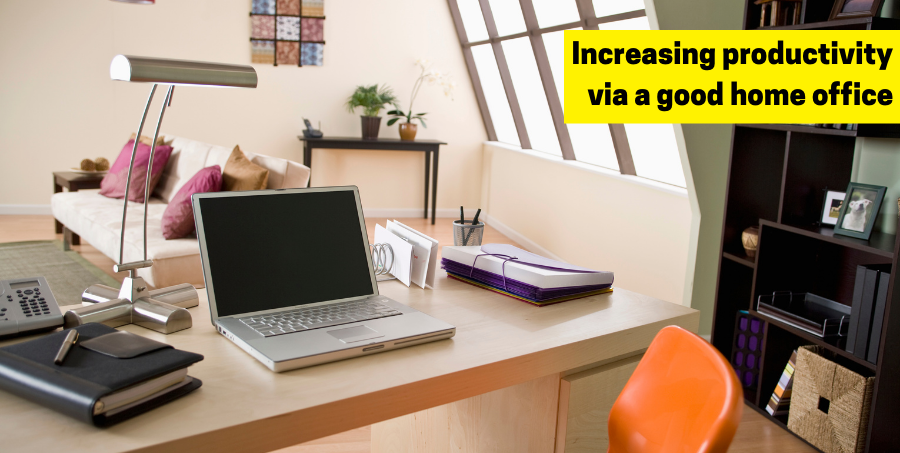
One of the things that the COVID-19 pandemic has taught us is that necessity really is the mother of invention. Many businesses and organisations faced the prospect of oblivion during the lockdowns that were introduced to curb the spread of the virus. However, that very problem encouraged the creation of distance-learning solutions for students and home-working solutions for adults, thanks to the interconnectivity afforded by the internet.
Far more people than ever before have realised that commuting to distant offices every day may not be necessary to earn a living. It’s much, much easier, at least for part of the week, to amble out of your bathroom in the morning, pick up a steaming mug of coffee or tea from the kitchen, and wander over to your home-working studio.
Here are a few essential pointers on working flexibly from home for mums or dads who have realised that they really don’t have to be physically present in the workplace every day of the week.
Choose your workspace
It’s best not to choose a workspace that doubles as a high-traffic route for your family, especially if your home working will require some teleconferencing or voice-and-video linkups with colleagues. It’s not a good look when you’re chatting by video with colleagues (or clients) if your partner languidly strolls past in the background carrying a freshly chilled beer from the fridge.
It’s best to find an area where you’ll have a minimum of interruptions and that’s well-lit with natural light during the day if possible. If not, go for warm indoor lighting rather than harsh blue-white lighting.
A spare room is ideal, but a secluded corner somewhere else will do if you use a compact, space-saving desk and the lighting is good. However, do try to ensure that you have access to sufficient mains power outlets to run desktop or laptop computers, computer towers, printers, office shredders, additional monitors, etc.
The key is to feel comfortable, and to have an area that you know is distinct from family life. Mixing the two together – for example, using the dining table as a laptop or PC desk – can be stressful and blur boundaries. Basically, it’s better to ‘go to work’ in a specific area than to use a multifunctional one. Some people have been very creative, using sheds, caravans or even shipping containers to set up a home office in the garden. Others have repurposed otherwise wasted garages (few people use them to park cars in these days) so that they’re no longer junk-and-clutter rooms, but work studios.
Get your home-office internet connection set up
Once you have chosen a suitable workspace, it’s time to get connected. We suggest using Ethernet cables to connect to the internet – they’re far more stable and secure than Wi-Fi, and they’re considerably faster in their data transmission – especially if you’ll be working on data-heavy applications (as graphic designers tend to do). Wi-Fi has the advantage of being easier and more convenient to set up multiple devices without the added clutter of lots of cables, but it’s slower and more unreliable than Ethernet.
Be clear about your computing requirements
If you’re going to be engaged in heavy-duty, data-hungry work, then you might need a high-end desktop computer with a rich range of specifications. However, if you’re predominantly writing on Word or PDF applications, then a relatively low-end laptop with good battery life may be all you need.
A note about laptops: it’s advisable to invest in a laptop stand so that your eyes are level with the top of the screen. This protects against neck- and back-muscle tension and eye strain. Use a wireless keyboard if you go for this option so that your forearms aren’t constantly tilting upwards. Horizontal is best, so an adjustable, comfortable desk chair is also worth investing in.
If you’re relying on a laptop, bear in mind that they’re usually not especially generous when it comes to ports for peripherals, and it may be wise to invest in a set of additional USB or USB-C ports.
You may also decide that you need an additional screen – if you haven’t tried it yet, once you have one, you’ll wonder how you coped without it. It will almost certainly help you work faster and more efficiently, and grant you a much better overview of your tasks.
If you have limited mains power outlets in your work area, you can expand them with a well-made extension lead with integral power surge protection.
A final advisory note: try to keep your work and personal devices separate. We’re inclined to be laxer about security with personal devices and a good deal tighter with work devices. You really don’t want to be unwittingly guilty of a data breach, so keep them separate.
Invest in a good-quality home-office phone and headset
These are especially necessary if your work involves customer care and liaising with a tech troubleshooter who may be based in a remote location. VoIP (Voice over Internet Protocol) phones are a godsend for telecommuting like this, allowing you to make and receive calls via the internet instead of a conventional phone network (which makes calls much, much cheaper, especially if they’re long-distance).
They’re portable, so you can connect them to any broadband connection and get a dialling tone, and they’re versatile, allowing you to make video-conferencing calls. They’re also separate from your smartphone or terrestrial phone connections, so you can keep work and private life safely distinct (good for sanity).
Alternatively, if you prefer to keep your typing hands free while you make and receive calls, go for a wireless (Bluetooth or DECT) headset or a wired alternative (usually connected physically via a USB cable or standard 3.5mm jack). The wired sets do tend to keep you tethered to your laptop or desktop, but they don’t have to be recharged like wireless models. They also maintain excellent audio without breaking up when the range is exceeded, as the latter tend to do.
Last but not least, don’t neglect your cables
For all your cable needs for your new home workspace, look no further than the excellent range of Ethernet, HDMI and extension cables and surge protectors available from Britain’s largest producer and vendor of cables and plugs, EuroNetwork.

